|
|
|
|||
|
How to install and add FTP Site in Windows 2008 R2
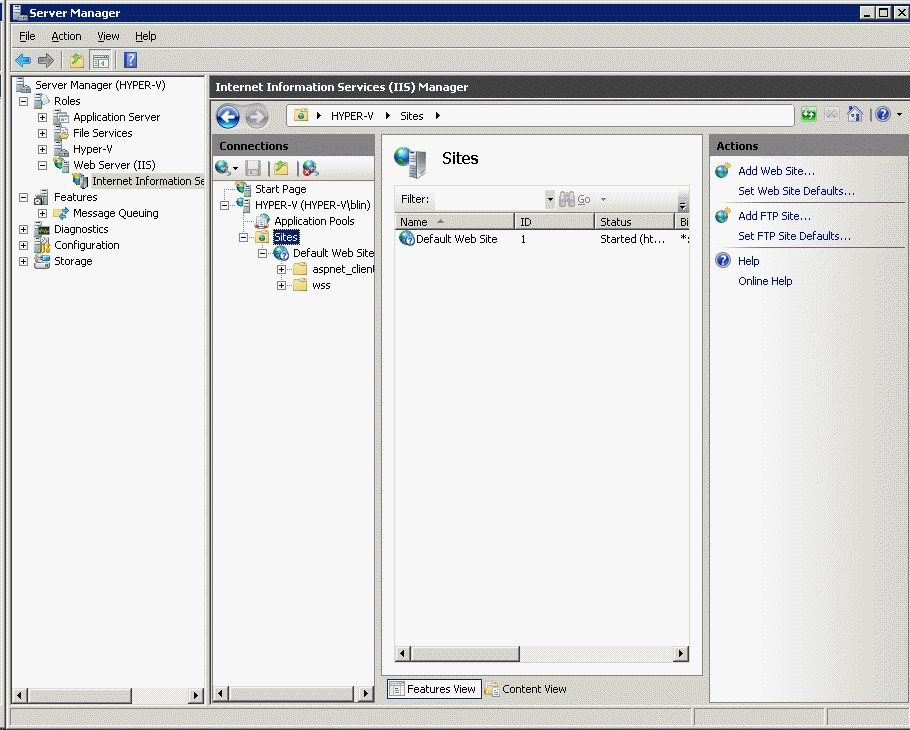
1. Run Server Manager to add FTP to Web Server role (IIS) 2. Under Web Server, highlight Internet Information Services (IIS) Manager. 3. Select Sites and click Add FTP Site.
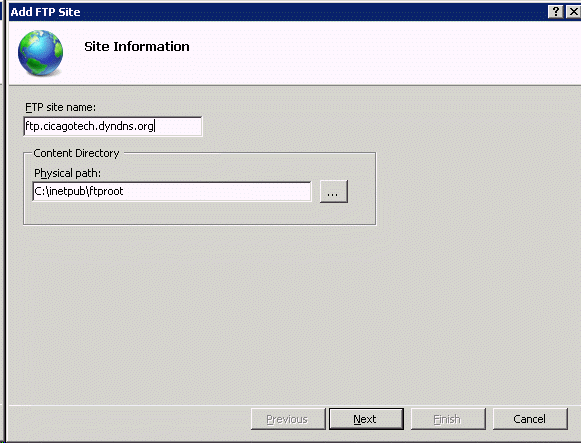
4. In the Site Information, enter the FTP informaiton.
5. In the Binding and SSL Settings, select Allow SSL and click Next. 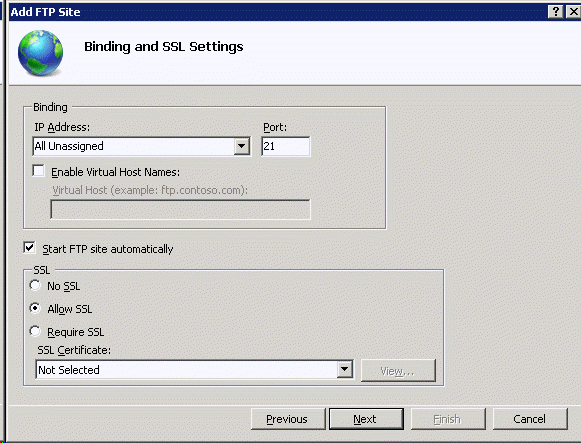
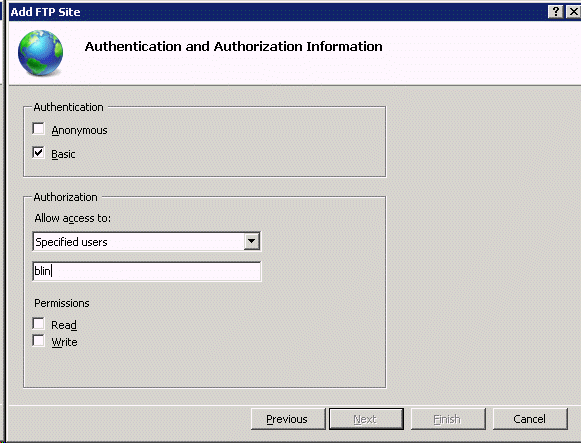
6. In the Authentication and Authorization Information, check the Basic and setup Authorization.
7. Click Finish to save the settings.
Post your questions, comments, feedbacks and suggestions Related Topics
|
|
|
This web is provided "AS IS" with no warranties.
Copyright © 2002-2018
ChicagoTech.net,
All rights reserved. Unauthorized reproduction forbidden.