|
|
|
|||
|
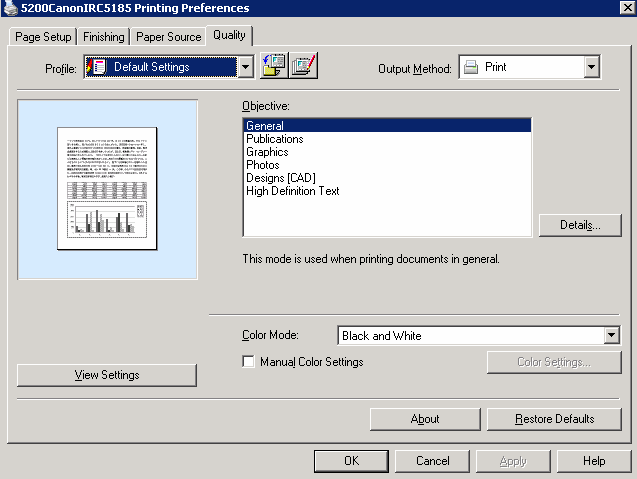
How to setup default color mode on Canon 5200 IRC
To setup Color Mode in Canon 5200 IRC, open the Printing Preference. Click Quality tab. You can setup color mode here.
Post your questions, comments, feedbacks and suggestions Related Topics
|
|
|
This web is provided "AS IS" with no warranties.
Copyright © 2002-2018
ChicagoTech.net,
All rights reserved. Unauthorized reproduction forbidden.