|
|
|
|||
|
How to use System Restore on Windows 7 - Step by step with screenshots
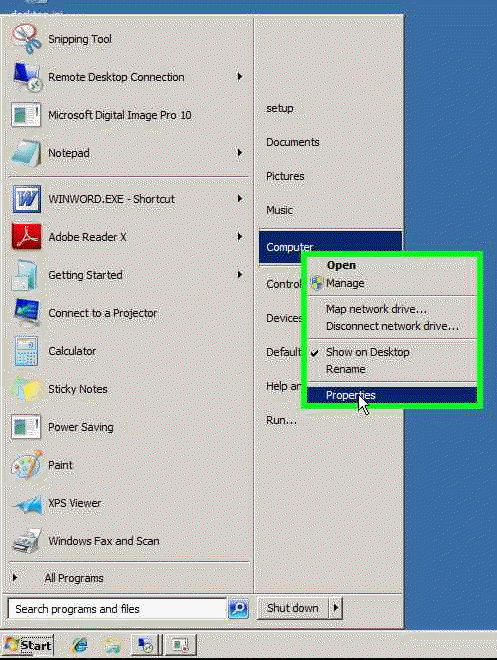
1. To open System Restore, click on Start, right click on Computer, select Properties.
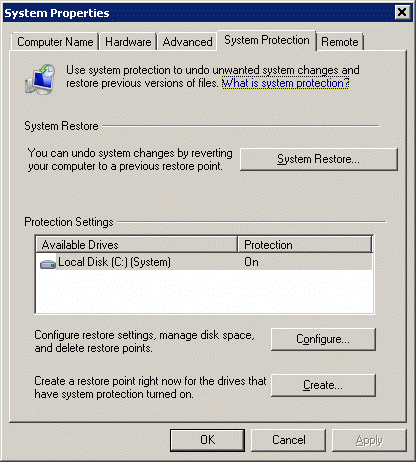
2. Click System Protection. 3. In the System Properties, click System Protection. 4. You can configure System Restore settings, Create a restore point, and run system restore.
Post your questions, comments, feedbacks and suggestions Related Topics
|
|
|
This web is provided "AS IS" with no warranties.
Copyright © 2002-2018
ChicagoTech.net,
All rights reserved. Unauthorized reproduction forbidden.