|
|
|
|||
|
Home | Troubleshooting | Quick Setup | Cisco How to | Data Recovery | Forums | Blog | IT Exam Practice | Services | About Us | Chicagotech MVP | Search | Contact Us | |
|
Microsoft CRM How To - Step by step with Screenshots Assign permissions in CRM 4
CRM 4
Enterprise - default organization to load
Microsoft
CRM System Requirements Issue
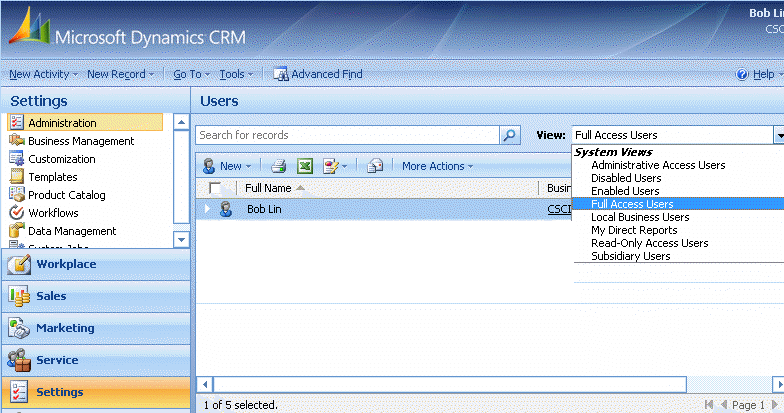
1. To view users, click narrow down button in the View, select user's group, for example, Enabled Users which will display all enabled users.
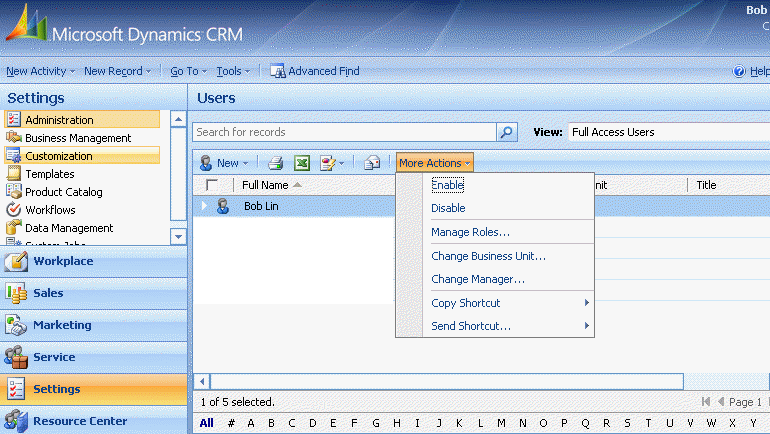
2. To enable, disable and manage Roles, highlight the user and click on More Action.
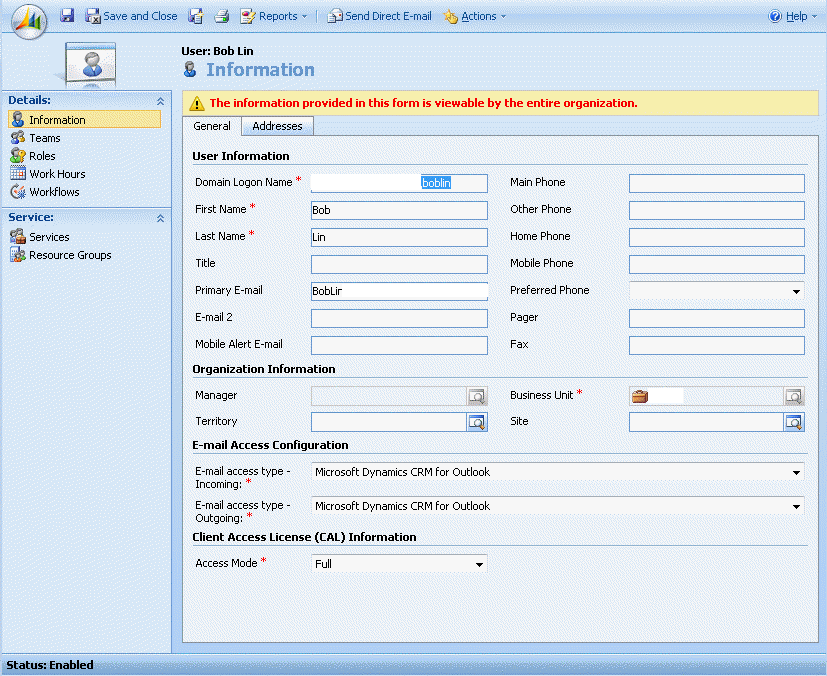
3. To change a user's information and Access Mode, double-click on the user.
Post your questions, comments, feedbacks and suggestions Related Topics
|
|
|
This web is provided "AS IS" with no warranties.
Copyright © 2002-2018
ChicagoTech.net,
All rights reserved. Unauthorized reproduction forbidden.